How to Register for a Class or Purchase a Package
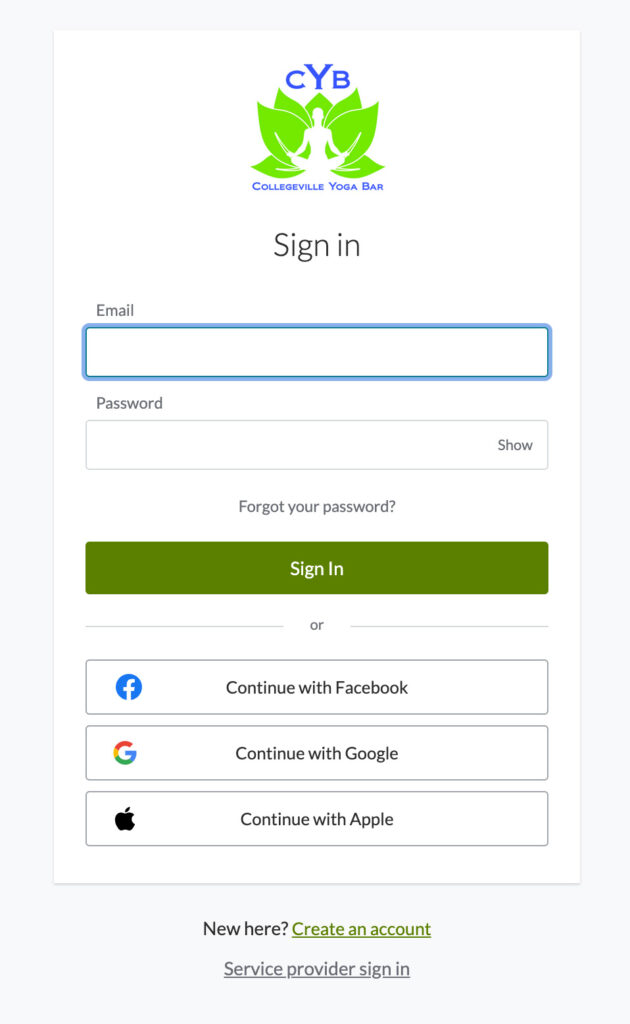
We are using the mindbodyonline.com platform for our scheduling software. If you are signing up for the first time, you will be asked to create an account. You can connect through Facebook, Gmail or Apple – or – you can use your email address with a password.
Once you are logged in you will be able to purchase packs and schedule individual classes.
Classes
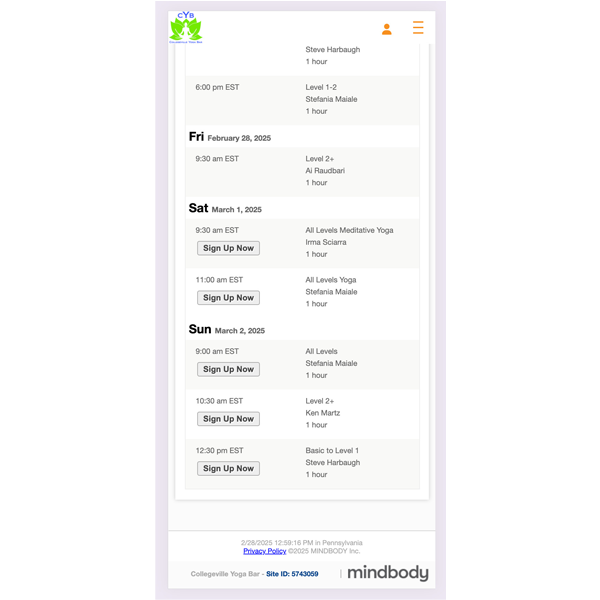
When you purchase or register for a class, you are registering for a specific date and time. To do so,
- Click on the “Classes” Tab.
- Scroll to the class you would like to schedule.
- Click on “Sign Up now.”
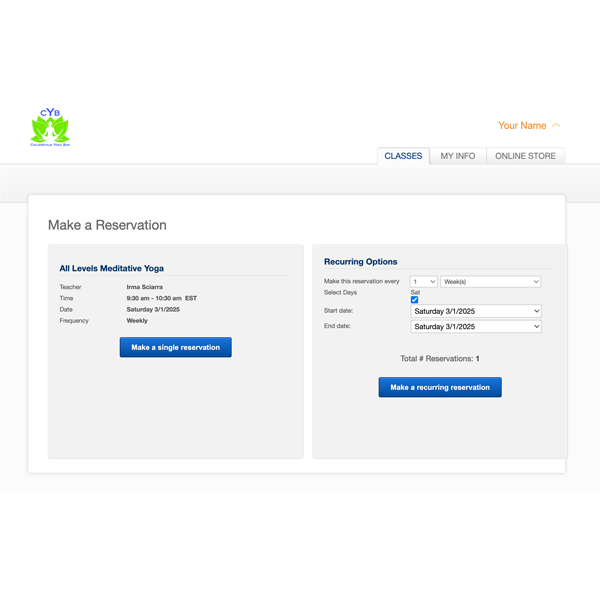
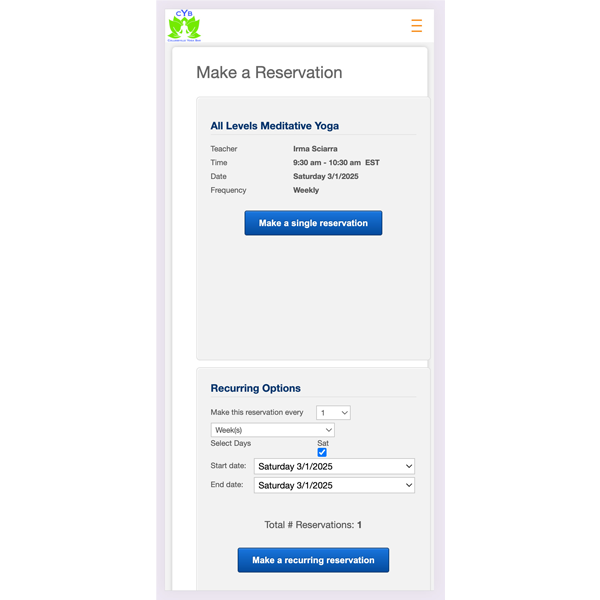
- You will then need to choose if this is going to be a single reservation, or if you want to book recurring classes.
- If you do not already have a package or pack, you will be redirected to the Online Store tab in the “Series and Memberships tab” where you will need to choose either a new pack, or you may choose “Single Yoga Class.”
After choosing, you will be redirected to your shopping cart where you may check out, or you may continue shopping.
 Class Tab - Desktop View
Packages
A package allows you to prepay for classes ahead of time with the freedom to register for those classes as your schedule allows.
Purchasing a package:
- After logging in, go to the online store. From there, under the “Series and Memberships” tab you may choose the package(s) you wish to purchase.
- After choosing, you will be redirected to your shopping cart where you may check out, or you may continue shopping.
Redeeming a package:
- After logging in, register for the class that is a part of a package that you have already purchased.
Complete the checkout process.
 Packages Tab - Desktop View
At any point, to get back to the shopping cart, click on the “Online Store” tab and look for the Shopping Cart link at the top.
All sales are final and are non-refundable. Students who fail to reschedule a class before it starts will lose the class from their package and be considered a “no show” for that class.
Virtual class packages expire 4 months from date of purchase and can be shared with another person. In-person class packages expire 4 months from date of purchase and can be shared with another person.
Matinee packs are valid only for classes Monday through Friday from 9 AM to 1 PM. Matinee 10-packs cannot be shared.
Monthly memberships are good for an unlimited number of classes and are auto-renewed. All membership options are not charged initiation fees.